What it does, screen by screen.
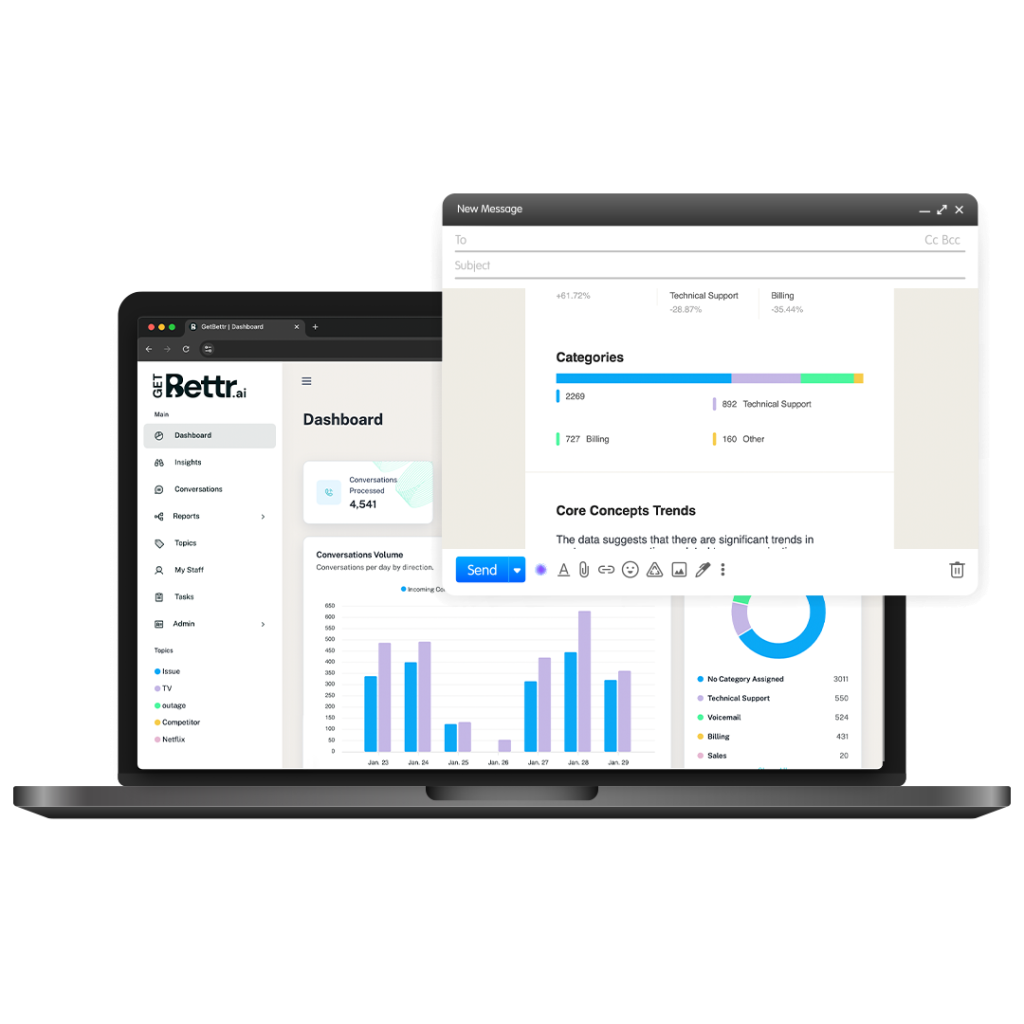
Every conversation, transcribed, analysed and filed. This is what you see when you log in, and what lands in your inbox when you don’t.
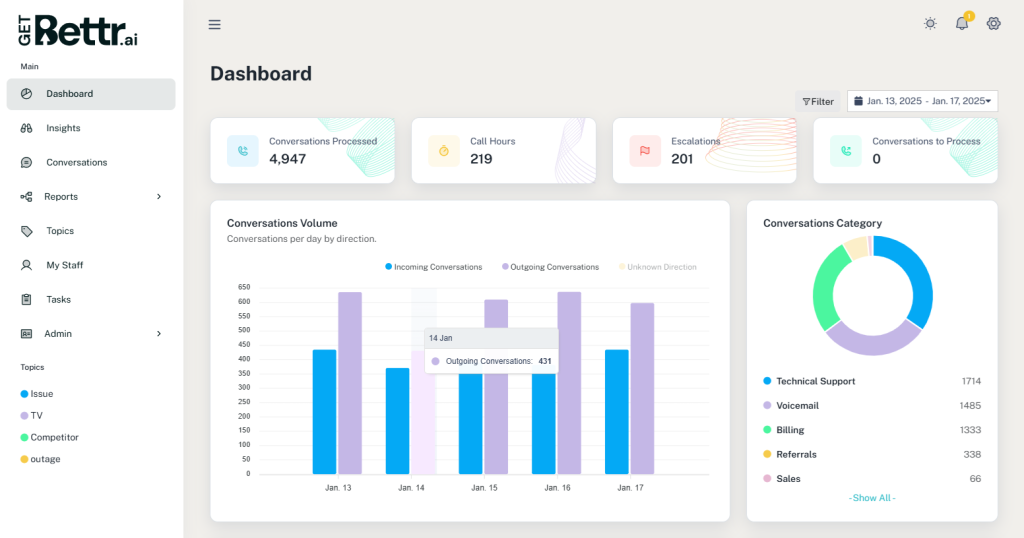
What’s happening, at a glance.
Volume, sentiment and flagged interactions across calls, email and in-person conversations. Filter by team, location or channel. Everything on the dashboard opens into the conversations behind it.
- Customer concerns and what your team is saying about them
- Sentiment trends over time
- Call and email statistics per person
- Marketing signals and demographics from what customers mention
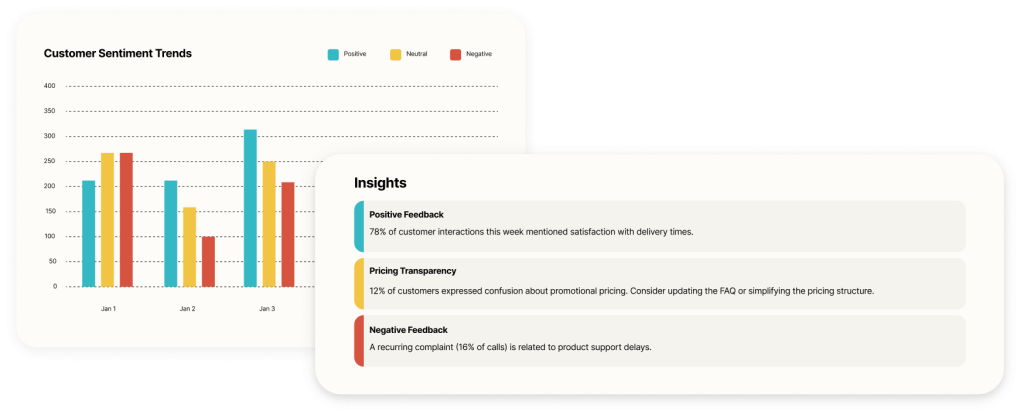
See happy and unhappy customers, and when it changed.
Every interaction is scored for sentiment. Follow it over time, by agent, location or topic. Find the week it dropped and find out why in the same screen.
Because email and in-person conversations are scored too, the picture is of your customers, not just of your phone queue.
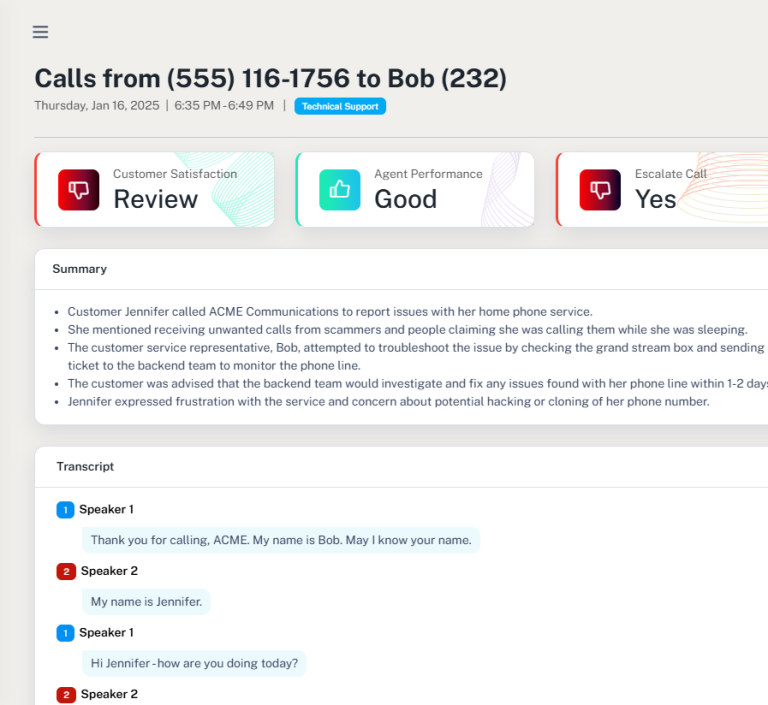
Zoom into what’s flagged, without reading the transcript.
Flagged interactions come with a summary of the situation and a suggested resolution, so whoever picks it up knows what happened and what to do next. The transcript is there if you want it. Most of the time you won’t.
A morning summary of customer sentiment puts the interactions that need attention first, so the day starts with the right five conversations rather than all five hundred.
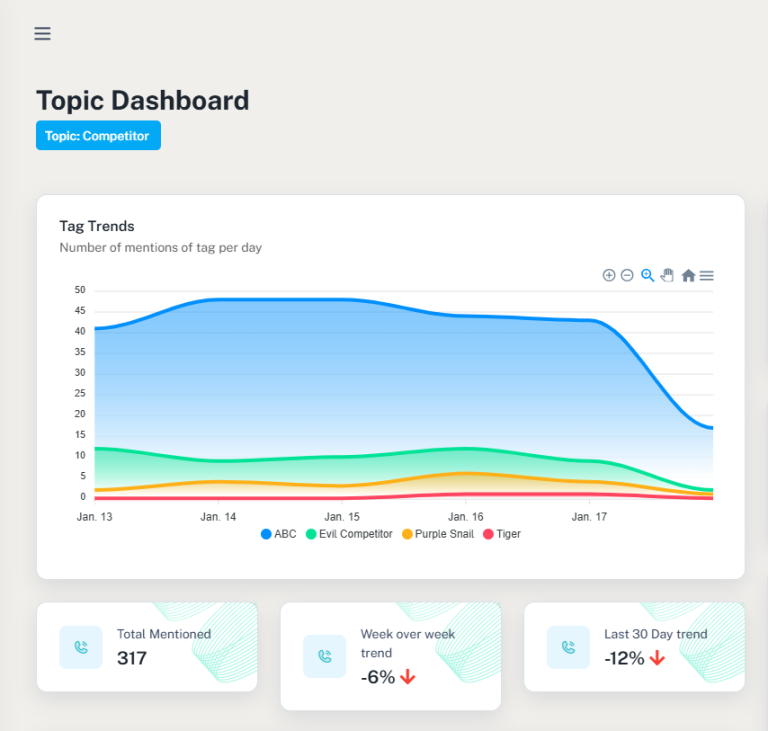
Every competitor mention, counted.
Competitor names are flagged wherever they appear: a call, an email thread, a conversation at the counter. Track them over time, see what customers said about them and about you, and find the features and pain points behind the mentions.
Custom reports keep watch on the names, phrases and topics you care about, and a searchable record of every conversation means you can go back and read what was actually said.
The email report, for people who won’t log in every day.
Customer trends, flagged moments and key performance indicators, sent to your inbox on a schedule. The automated check-in that means an owner can know what is going on without opening a dashboard.
Each report is built from the same record as everything else: calls, email and in-person conversations together.
Search, Sonar, and the record they run on.
- Search everythingKeywords, escalations, resolutions, names. Flag and add notes on any email or transcript. Find what you are looking for in seconds, across every channel.
- SonarPattern detection across interactions, and plain-language questions answered from the whole record. How Sonar works →
- Three channels, one recordPhone calls, email and in-person conversations, transcribed and filed together. Why that matters →
- Per-person statisticsVolume, sentiment and outcomes for each member of the team, so coaching starts from evidence.
- Segmented reportingEnterprise customers can segment every report by location, division or branch.
- MCP accessAsk your record questions from inside Claude or any MCP-capable assistant. How →
The support of the GetBettr.ai team has been extraordinary. Even though we are a smaller company, the GetBettr.ai team has allowed us to use these next generation tools to compete and truly ‘Get Better’. Honestly, it feels like magic.
See it on real conversations.
Give us 15 minutes to show you how GetBettr.ai can make your business better.